Construction of Linkable Infographics on a Budget

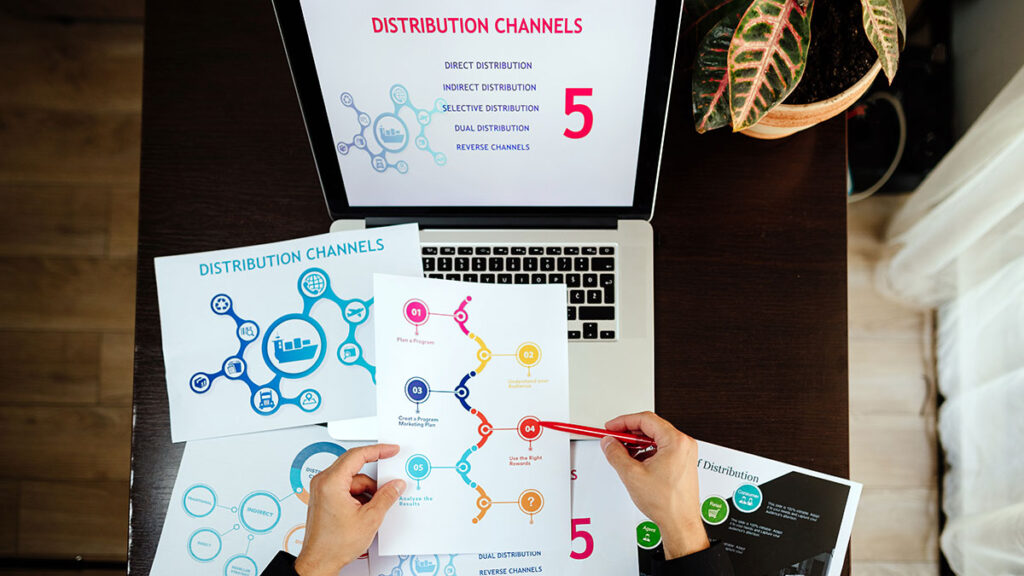
While attention spans grow smaller in a digital age and organic search visibility is intense, infographics have emerged as a favorite content marketing weapon. Infographics are shareable and very attention-getting, and they deconstruct information and improve retentivity among users. The mistaken notion, though, is that it is necessary to have a big budget or in-house design department in order to create infographics. The truth is, with forethought and the use of the right tools, solo marketer and small businesses have the capacity to produce professional, link-worthy infographics on a shoestring budget.
This article outlines how inexpensive linkable infographics can be made which still have high-quality, SEO-optimized attributes that produce traffic and backlinks. If you’re a content marketer, startup marketer, or SEO expert, these suggestions can facilitate your content coverage with minimal resources.
Why Infographics Work for Link Building
Visual Content Outperforms Text
Studies verify that images get processed 60,000 times faster than text. Infographics capitalize on this attention preference by offering data and storytelling in bite-sized, attention-grabbing morsels. This automatically increases site engagement and dwell time—something search engines love.
Backlink Magnet
High-quality infographics can generate backlinks from blogs, news outlets, and other information-seeking sites. If your infographic contains helpful information or interesting data, chances are it will be embedded and accredited by others, benefiting your domain authority and SEO position.
Easy Social Sharing
Infographics are perfect for Twitter, LinkedIn, and Pinterest. If conceptualized on trending topics or conveys meaningful industry information, an interesting image is likely to go viral. The more shareable it is, the more likely it is to receive organic link backs.
Planning Your Infographic Strategy
Establish Your Goal and Target Audience
Prior to designing, determine what your infographic is meant to achieve. Is it getting backlinks, increasing traffic, generating leads, or establishing brand awareness? Content that is geared towards your goal ensures focus and clarity.
Knowing your audience is just as crucial. Specialists may appreciate data-driven content with clean designs, while youngsters may be more likely to connect with fun, vibrant designs. Align your tone and style with what your target audience is likely to expect.
Choose a Linkable Topic
The secret to link-worthy infographics is creating content that people want to link to. Select themes that are:
- Data-driven: Trends, surveys, and statistics
- Evergreen: Information that is always relevant, timeless
- Educational: Tutorials, how-tos, and explanations
- Industry-specific: Pursuing niche markets
Keyword research tools like SEMrush, Ahrefs, or Google Trends can help in finding out what your audience is seeking. Identify low-competition, high-interest keywords that can guide your infographic storytelling.
Designing Infographics on a Tight Budget
DIY Design Tools
Gone are the times when making infographics is only for Adobe Illustrator professionals. Today, a number of freemium resources have premade templates and drag-and-drop functionality that are great for neophytes:
Canva: Offers hundreds of customizable templates, icons, and fonts.
Piktochart: Ideal for data visualization with easy import functionality for spreadsheets.
Venngage: Ideal for professional templates for business use cases.
All of these tools have a free version which is sufficient for all basic needs. Upgrade only if advanced features like team sharing or high-resolution export are required.
Utilize Open Data Sources
Good infographics have credible data as a foundation. Don’t pay for expensive research when you can utilize public data from credible sources:
- Statista
- Google Public Data Explorer
- Data.gov
- World Bank Open Data
- Pew Research Center
Always cite your sources at the bottom of your infographic in a way that adds credibility and avoids plagiarism.
Low-Cost Freelancers and Templates
If design is not your specialty, it would be a good idea for you to hire a freelancer from Fiverr, Upwork, or Freelancer.com. Many sell infographic design services for as little as $20. Or, purchase well-designed templates from markets like Creative Market or Envato Elements, which can be easily edited in Canva or Illustrator.
Optimizing Infographics for SEO
File Naming and Alt Text
Once your infographic is finalized, optimize your image file when uploading it on your site. Use descriptive filenames with relevant keywords in them (for example, small-business-budget-infographic.png). Use alt text that briefly describes what your infographic is, helping both accessibility and crawling from search engines.
Host on Your Site with an Embed Code
Do not share infographics on external platforms only. Keep them on a dedicated landing page on your site. At the bottom of your infographic, add an HTML embed code with a link back to your site. This makes it easier for people to share your content and attribute it to you, which creates your backlinks.
Page Load Speed Optimization
Infographics tend to be large files, which can make your site slow. Compress images using TinyPNG or ImageOptim without compromising on image quality. A fast page load not only helps decrease your bounce rate but also boosts your ranking on Google.
Promoting Your Infographic for Maximum Reach
Email Outreach for Niche Sites
Once it’s live, the real work begins: promoting. Put together a list of blogs, journalists, and influencers in your niche who produce a lot of visual content. Prepare a customized pitch email outlining why your infographic is helpful for their readers.
Insert:
- A short subject line
- A 1-paragraph summary
- A permalink to the infographic
- An additional download link
Target high domain authority pages with related content. This increases your opportunity for acquiring backlinks.
Add to Infographic Directories
There are several free directories which create infographics listings by category. Submission to them can generate traffic as well as useful backlinks. Try:
- Visual.ly
- Infographic Journal
- Infographics Archive
- Daily Infographic
Post on Social Media Strategically
Do not just share your infographic once and leave it. Split it into smaller chunks (micrographics) for several updates. Include useful hashtags and tag brands or influencers mentioned in the graphic. Take a small paid ad on Facebook or LinkedIn too to get your infographic a initial boost in visibility. Even $20 can deliver a lot of reach when it is targeted properly.
Tracking Performance and ROI
Use UTM Parameters
Track traffic sources by using UTM codes for your infographic links. This helps know which media and outreach channels are doing well.
Analyze Backlink Growth
Utilize SEO tools like Ahrefs, Moz, or Google Search Console for long-term tracking of your backlinks. Be attentive to:
- Referring domains
- Anchor text used
- Page authority
If a certain outreach email or Facebook post generated a large number of links, attempt recreating it in subsequent promotions.
Assess User Engagement
Engagement metrics like time on page, bounce rate, and scroll depth can give you information on how people engage with your infographic. With Hotjar or Google Analytics, you can see a visualization of how people interact on your page and where improvements can be made.
Frequent Errors to Prevent
Prioritizing Design Over Substance
An infographic is worthless unless it provides value. Ensure your data is useful, accurate, and informative first, and only move on to design.
Overlooking Mobile Users
Make your infographic mobile-compatible. Tall vertical designs might be perfect for desktop but not readable on smaller screens. Include a text version in addition to the image for better accessibility and SEO purposes.
Overloading with Information
Do not overcrowd data into a single infographic. Keep your focus on a main idea or theme. Clutter is confusing for readers and not shareable.
Conclusion
It is possible to create linkable infographics even on a shoestring budget with planning, tools, and promo strategies. With a target for data-driven content, budget design platform, and SEO-optimization, it is possible to create eye-catching visuals that not only look professional but actually get traffic, build authority, and get link-backs in the long run. Remember, a successful infographic is not just a great image, but a clever piece of content marketing that brings design and data together in a narrative manner. With consistency and creativeness, small teams can produce infographics on a par with large competitors. So, next time you’re planning your content marketing campaign, think beyond the blog post. Make an investment in a visual story your audience and search engines will love—all without blowing your budget.