Guide to setting up analytics for small businesses

Introduction
For small business owners, data often feels like an abstract luxury—something reserved for tech giants and data scientists. But in today’s digital-first landscape, analytics is no longer optional. Whether you’re a neighborhood coffee shop, a niche e-commerce store, or a service-based entrepreneur, understanding how customers engage with your brand online is crucial to staying competitive.
Thankfully, you don’t need a massive budget to unlock the power of data. With the right setup, small businesses can gain valuable insights that inform smarter decisions, improve marketing effectiveness, and drive sustainable growth. This guide walks you through the process of building a data-driven foundation using affordable analytics tools and a clear, strategic framework. We’ll cover everything from defining business objectives to selecting the best tools, tracking on-site behavior, interpreting traffic sources, and making real-world improvements based on what the data shows.
Whether you’re brand new to analytics or looking to upgrade from gut-based decisions to evidence-backed strategy, this step-by-step guide makes the process simple, scalable, and powerful.
Understanding What You Should Track
Aligning Metrics with Business Goals
Before you even think about installing a tracking code, step back and clarify your business goals. Are you aiming to grow online sales? Generate more leads? Drive local foot traffic from digital campaigns? Each objective requires different metrics. E-commerce stores may track revenue, cart behavior, and order value. Service-based businesses might prioritize contact form submissions, phone calls, or scheduled appointments.
Understanding your top-of-funnel versus bottom-of-funnel goals also matters. Top-of-funnel efforts—like blog views or social media reach—build awareness. Bottom-of-funnel metrics—like checkout completions or newsletter signups—reveal conversion readiness. By tying each metric to a specific goal, you avoid getting lost in vanity numbers and instead use analytics to support decisions that directly impact growth.
Mapping the Customer Journey
Every small business has a version of the same customer lifecycle: awareness, consideration, conversion, and retention. During the awareness stage, users might land on a blog post, product page, or social media link. In the consideration phase, they may browse categories, compare features, or read reviews. Conversions happen when they complete a purchase or submit a lead form. Retention covers actions like opening your emails, submitting repeat orders, or referring others.
Mapping this journey helps you identify the right tracking points. You’ll know where to place your tags, events, or pixels—not just to collect numbers, but to extract meaning from customer behavior.
Choosing the Right Analytics Tools
Free to Low-Cost Platforms with Big Impact
Google Analytics 4 (GA4) is one of the most robust and completely free analytics tools available, and it’s perfectly suited for small businesses. With GA4, you can track user flows, measure specific conversions, monitor website performance, and even integrate data from Google Ads or Search Console. Despite its enterprise-level capabilities, it can be configured in simple ways to serve basic needs like tracking how people find your website, what pages they view, and where they drop off.
If you’re looking for an even simpler dashboard, privacy-first tools like Plausible Analytics are great for beginners. E-commerce platforms like Shopify and WordPress also offer built-in analytics tools that integrate directly into your store, providing transaction data, customer behavior, and real-time sales tracking with little to no manual setup.
Choosing Platforms That Grow with You
As your business evolves, your analytics needs will, too. If you plan to introduce new offerings—like membership tiers, referral programs, or upsell flows—you may want to look into platforms that offer more advanced features. Tools like Segment, Mixpanel, or Fathom Analytics (which all offer free tiers or small business plans) allow for deeper tracking. They provide event-based data, funnel visualizations, and multi-device tracking, all of which become more important as your operations scale.
But remember: don’t jump into complex setups too early. Start small, build your comfort with data, and layer in additional tools only when you’re ready.
Implementing Tracking Correctly
Installing Core Tracking Code
If you’ve chosen GA4 as your analytics tool, the first technical step is to install your tracking script. You can do this by manually adding the GA4 measurement ID to your website, or—if you want more flexibility—through Google Tag Manager (GTM). Using GTM allows you to update, pause, or add new tracking tags without needing a developer every time.
This also makes it easier to manage multiple data sources. For instance, if you want to track conversions from Google Ads, Facebook Ads, and LinkedIn campaigns, GTM lets you implement those pixels quickly and cleanly from one dashboard.
Tracking On-Site Events and Conversions
Once you have baseline tracking in place, it’s time to set up events that align with your goals. In GA4, these might include actions like newsletter signups, contact form submissions, “Add to Cart” clicks, or video plays. For e-commerce, GA4 offers built-in support for tracking shopping behaviors such as product views, checkout starts, and completed purchases.
Service businesses can benefit from tracking more micro-conversions: for example, how many people clicked “Schedule a Free Call” or opened your pricing page. This detailed data tells you not just that people visited your site—but what they actually did while they were there.
Connecting Sources and Analyzing Traffic
UTM Parameters for Marketing Attribution
If you’re running email campaigns, sharing blog posts on social media, or testing ads, you need UTM parameters. These small snippets of code added to the end of your links (like ?utm_source=facebook&utm_medium=social&utm_campaign=summer_sale) allow your analytics tool to track exactly where traffic is coming from.
UTM tracking helps you answer key questions: Which campaigns are bringing in visitors? Which platforms are driving the most conversions? Instead of guessing which marketing tactics are working, you’ll have hard evidence that allows you to double down on what performs—and ditch what doesn’t.
Monitoring Inbound Traffic Channels
Once UTMs are in place, your analytics dashboard will break traffic down by channel: organic search, direct, social media, referrals, email, and more. But don’t stop at volume—look at engagement too. How long are users staying? Are they bouncing? Are they converting?
Sometimes, you’ll find unexpected gold. A partner’s newsletter might send highly qualified leads, even if the volume is small. Or a single blog post might outperform your homepage in generating form fills. These insights help you prioritize your time and resources based on data, not assumptions.
Building Dashboards and Funnels
Creating Custom Dashboards
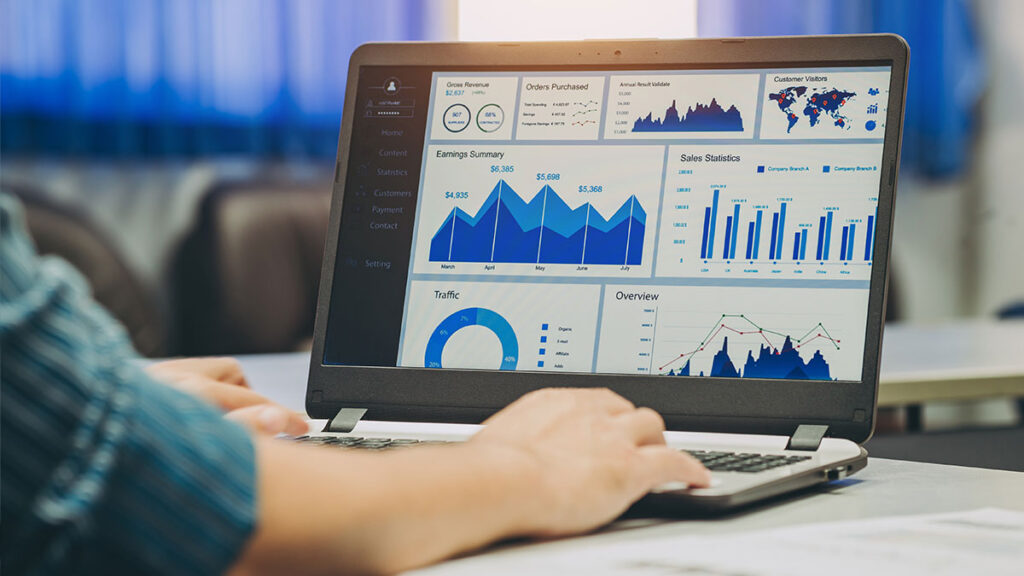
Even a powerful tool like GA4 can feel overwhelming when you’re short on time. That’s why it’s smart to create custom dashboards focused on the metrics that actually matter to you. Think of them as mission control: a place where you can log in each week and immediately see your top-level performance indicators—total sessions, revenue, bounce rate, and conversions.
Whether you build these within GA4 or export data to tools like Looker Studio or Databox, a simple dashboard saves time, eliminates clutter, and keeps your team focused on what matters most.
Funnel Visualization for Conversion Understanding
Funnels allow you to see how users progress through your key conversion paths. For example, in an e-commerce store, your funnel might look like: homepage → product page → add to cart → checkout → purchase. In a service-based business, the flow might be: homepage → pricing page → form submission → scheduled call.
Using GA4’s funnel exploration, you can spot where people are dropping off. If lots of users are abandoning carts, you might test shorter checkout forms, stronger product guarantees, or more trust signals. Funnel data gives you not only visibility—but specific ideas for improving your conversion rates.
Using Data to Make Smarter Decisions
Optimizing Marketing Budget and Content Focus
Once your analytics are running smoothly, they’ll reveal exactly where your best-performing traffic comes from—and which types of content drive conversions. You might discover that your blog posts about local community events bring in more leads than posts about product specs. Or maybe your email campaigns have a higher ROI than paid social ads.
Armed with this knowledge, you can shift time and money toward what works. That’s the real value of analytics—not just knowing what happened, but using that insight to make better, faster decisions.
Identifying Customer Behavior Patterns
Analytics also uncover behavior trends you might not anticipate. Maybe your FAQ page is getting more visits than your product page, suggesting a need for clearer messaging. Or maybe your checkout page has an unusually high exit rate, prompting a closer look at pricing or shipping costs.
Pay attention to these signals. They offer a direct line to customer experience improvements, often with simple changes that yield big returns.
Ensuring Data Accuracy and Compliance
Verifying Tracking Integrity
All tracking tools should be tested regularly. GA4 lets you monitor real-time data, so you can test events live—subscribe to your own newsletter, click buttons, or submit a form to verify that your setup is firing correctly. Make sure events are named clearly and consistently, such as “contact_form_submit” or “add_to_cart_click.” This organization pays dividends as your dataset grows.
Considering Privacy and Compliance
Privacy regulations like GDPR and CCPA require transparency in how you collect and use data. Fortunately, tools like Cookiebot or OneTrust make it easy to offer cookie consent options and anonymize personal data. GA4 also includes built-in privacy settings. Not only is this good compliance—it builds trust with your users, showing that you respect their data from day one.
Reviewing and Scaling Your Analytics Setup
Conducting Quarterly Analytics Audits
Set aside time every quarter to audit your analytics setup. Are your events still tracking correctly? Are your UTMs accurate and up to date? Have new features or pages been added to the site that need tracking? This regular check-in ensures your data stays clean and your insights remain relevant.
It’s also a good opportunity to archive outdated dashboards and refocus reporting on current business goals.
Gradually Adding Advanced Tracking
Once you’re confident with the basics, you can layer in tools like heatmaps (Hotjar), session recordings (Smartlook), or A/B testing platforms (Google Optimize, Convert). These give deeper insights into user behavior—showing where people click, where they pause, and where confusion happens.
Start small. Don’t implement everything at once. Use these tools to answer specific questions and make targeted improvements. That way, your analytics remain a tool—not a burden.
Conclusion
For today’s small businesses, analytics isn’t an add-on—it’s a game-changer. When implemented with intention, even free tools like GA4 can provide deep insight into what’s working, what’s not, and where your next growth opportunity lies. You don’t need a data science degree—you need a roadmap, a clear set of goals, and the discipline to review your metrics regularly.
By tying analytics to business outcomes, small business owners can shift from reactive to proactive. They make faster, smarter choices about marketing, customer experience, and website optimization. And as their data grows, so does their ability to scale sustainably.
In the end, it’s not about tracking everything—it’s about tracking what matters. And when you do, you’re no longer guessing. You’re building.