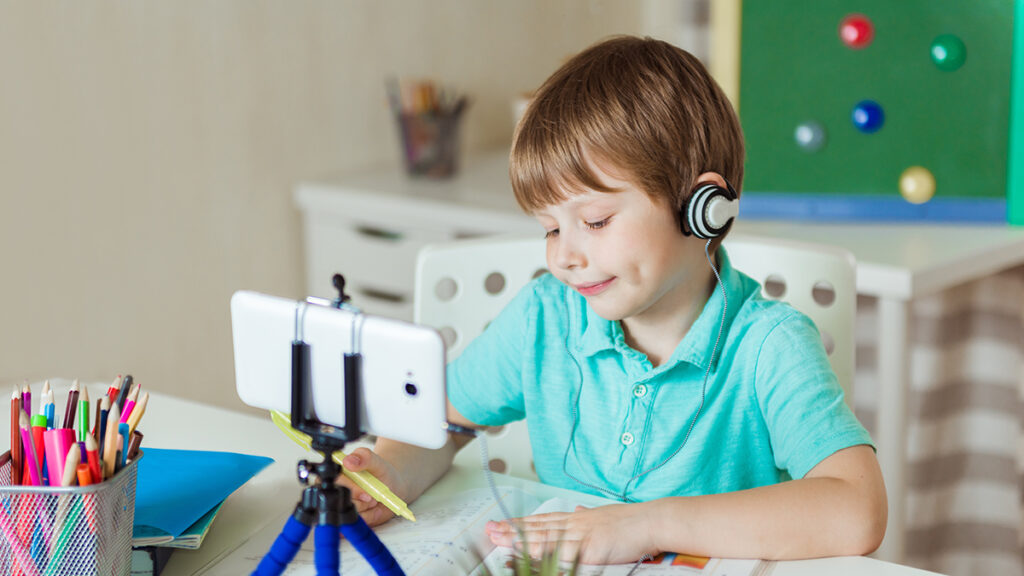
BYOD strategies in remote classrooms


Introduction
The rise of digital learning has dramatically reshaped education, prompting schools, colleges, and universities around the world to embrace new teaching models. Among the most significant of these is the “Bring Your Own Device” (BYOD) strategy, which encourages students to use their personal laptops, tablets, or smartphones as their primary tools for participating in online classes. What once seemed like a forward-looking experiment has now become a practical solution for remote and hybrid learning environments, where accessibility, flexibility, and efficiency are top priorities.
As digital learning continues to grow, educators and administrators face the challenge of designing BYOD strategies that strike the right balance between flexibility and equity. It is not enough to simply tell students to use their own devices; successful implementation requires careful planning, clear guidelines, and a thoughtful understanding of both the benefits and risks. When done well, BYOD creates a dynamic digital ecosystem where students can collaborate more effectively, teachers can deliver interactive lessons, and institutions can manage resources more efficiently without heavy investments in hardware.
This article explores how BYOD is shaping remote classrooms, examining its benefits, challenges, and best practices for ensuring it supports equitable, inclusive, and future-ready education.
The Rise of BYOD in Education
The Shift Toward Digital-First Learning
The idea of BYOD first gained traction in professional workplaces, where employees were encouraged to use their own laptops and smartphones to access company systems. Education soon followed this trend, especially as schools and universities sought to strengthen their digital learning capabilities without bearing the full financial burden of providing devices for every student.
The global pandemic accelerated this transformation dramatically. Overnight, millions of students were required to learn remotely, and institutions that lacked the means to distribute devices turned to BYOD policies as a lifeline. By allowing students to use their own technology, schools ensured continuity of learning despite severe disruptions.
Today, BYOD is more than just a stopgap—it reflects the broader shift toward digital-first learning. Students are already comfortable with their own devices, making them quicker and more efficient in accessing materials, participating in class discussions, and completing assignments. For younger generations who have grown up with smartphones and laptops, BYOD is a natural extension of their daily lives, blending education seamlessly into familiar digital habits.
Accessibility and Cost Efficiency
One of the strongest arguments for BYOD is cost efficiency. For large institutions, providing every student with a standardized device can be prohibitively expensive, especially in regions with limited funding. BYOD shifts hardware ownership to students and families, reducing institutional expenses and freeing resources that can be redirected toward improving internet infrastructure, licensing software, or enhancing digital platforms.
At the same time, BYOD offers unique opportunities for accessibility. Students using their own devices can personalize their learning environment through built-in features like screen readers, voice controls, or adjustable text sizes—customizations that are harder to achieve with standardized school-issued devices. For students with specific learning needs, this familiarity lowers barriers and creates a more inclusive environment where they can thrive.
Benefits of BYOD Strategies in Remote Classrooms
Enhancing Student Engagement
Remote classrooms often struggle with disengagement, as students face distractions at home or feel disconnected from their peers. BYOD strategies can help combat this by making lessons more interactive and engaging. With their own devices, students can seamlessly access multimedia content, participate in live polls, join virtual breakout rooms, and collaborate on shared projects in real time. Teachers, in turn, can integrate gamified platforms, digital quizzes, and interactive simulations that capture student attention and make learning more dynamic.
Another key factor is the familiarity students have with their devices. Because they know how to navigate their own systems, less time is wasted on troubleshooting, and students can focus on active participation. Whether joining a video discussion, contributing to peer reviews, or delivering virtual presentations, BYOD turns personal devices into gateways for deeper engagement in learning.
Promoting Digital Literacy
Digital literacy is increasingly recognized as a core skill for success in both education and the workplace. BYOD strategies naturally foster these skills by encouraging students to navigate a wide range of software tools, troubleshoot technical challenges, and manage their digital workflows.
More than just academic tasks, BYOD helps students build habits that mirror real-world professional environments. They learn to handle security settings, adopt effective organizational strategies, and practice responsible device usage—skills that extend well beyond the classroom. By cultivating these abilities early, BYOD prepares students for the demands of digital workplaces where adaptability, security awareness, and technological fluency are essential.
Flexibility and Personalization in Learning
Perhaps the most significant benefit of BYOD is the flexibility it offers. Students are not restricted to uniform tools; instead, they can choose apps and platforms that match their learning preferences. Some may take handwritten digital notes with styluses, while others might rely on transcription apps, productivity extensions, or collaborative cloud-based platforms.
This personalization fosters a sense of ownership over the learning process, motivating students and enhancing outcomes. Teachers can also design assignments that leverage this diversity—encouraging multimedia projects, group collaborations, and creative presentations that reflect how digital tools coexist in the real world. Ultimately, BYOD allows learning to adapt to the student, not the other way around.
Challenges of BYOD in Remote Education
Addressing the Digital Divide
Despite its advantages, BYOD also exposes the reality of the digital divide. Not all students have access to high-quality devices or reliable internet connections. Some may rely on older hardware that struggles to run modern applications, while others may have no personal device at all. Without targeted strategies to bridge these gaps, BYOD risks reinforcing existing inequalities rather than reducing them.
To mitigate this, institutions must prioritize equity by providing loaner devices, subsidizing internet costs, or partnering with technology providers to supply affordable solutions. Without these measures, BYOD can unintentionally exclude the very students it is meant to empower.
Security and Privacy Concerns
Personal devices introduce another layer of complexity: cybersecurity. Unlike standardized school-issued hardware, personal devices often lack uniform security protections, making them more vulnerable to malware, phishing, and data breaches. In a remote classroom where multiple devices are constantly connecting to shared platforms, one weak link can compromise the entire system.
Institutions must establish strong security policies, requiring antivirus software, regular updates, and secure network usage. Training both teachers and students in safe digital practices is equally important to reduce risks. The challenge lies in finding the right balance between maintaining device flexibility and ensuring strong security safeguards.
Standardization and Compatibility Issues
BYOD also raises challenges of compatibility. Not all software applications work seamlessly across different operating systems or screen sizes, which can complicate lesson delivery. Teachers may find it difficult to ensure that every student can access required resources, especially when specialized tools demand specific technical requirements.
To overcome this, schools and universities must prioritize platform-agnostic solutions. Cloud-based tools and web-based platforms offer greater accessibility, reducing the risk of excluding students due to hardware differences. The more institutions focus on flexible, universally accessible resources, the smoother BYOD implementation becomes.
Best Practices for Implementing BYOD Strategies
Establishing Clear Guidelines
A successful BYOD program requires clear and structured guidelines. Schools must outline acceptable use policies, define security requirements, and clarify expectations for participation. Students should understand which devices are supported, what software they will need, and how to connect securely to institutional platforms.
Communication with parents and guardians is also critical, particularly in K-12 education. Families must understand both the advantages and responsibilities of BYOD, from device maintenance to online safety. Transparent communication ensures trust and cooperation, laying the foundation for smooth adoption.
Training Teachers and Students
Even the most well-designed BYOD policies can falter without proper training. Teachers must feel confident integrating diverse devices into their pedagogy, troubleshooting basic technical issues, and using technology as a tool to enhance rather than distract from learning. Professional development in digital pedagogy is essential for building this confidence.
Students also need guidance in digital citizenship. They must learn how to manage screen time responsibly, practice respectful online behavior, and protect personal data. By fostering responsible device use, institutions ensure that BYOD enhances the classroom environment instead of introducing new risks.
Leveraging Cloud-Based Platforms
Cloud-based platforms are the backbone of effective BYOD strategies. Tools like Google Workspace, Microsoft 365, and widely used learning management systems (LMS) enable students to access resources from any device, regardless of operating system. These platforms also simplify updates, reducing the technical barriers for students working with older hardware.
Beyond accessibility, cloud-based tools strengthen collaboration. Students can co-edit documents, work on group projects in real time, and exchange peer feedback seamlessly. For teachers, these platforms provide centralized spaces for lesson delivery, assessment, and communication, making BYOD more manageable and effective.
The Future of BYOD in Remote Education
Integration with Hybrid Learning Models
As schools and universities continue to refine hybrid learning models that combine in-person and remote instruction, BYOD strategies will become increasingly important. Devices act as bridges between the classroom and the home, enabling students to move fluidly between learning environments. Teachers can design lessons that take advantage of this continuity, ensuring learning remains consistent across settings.
Emerging Technologies and BYOD
Emerging technologies such as augmented reality (AR), virtual reality (VR), and artificial intelligence (AI) are beginning to reshape education. BYOD will need to evolve alongside these innovations, ensuring students can access immersive and interactive tools without requiring costly, specialized equipment. As device capabilities expand, BYOD will become even more relevant in preparing students for next-generation learning experiences.
Building an Inclusive Digital Culture
The long-term goal of BYOD should go beyond saving costs or offering convenience. It should be about building a culture of inclusivity and digital empowerment. A well-implemented BYOD strategy enables students to feel more confident and capable in navigating the digital world, while also encouraging creativity and collaboration.
By addressing equity, ensuring security, and focusing on compatibility, educators can transform BYOD into a driver of opportunity. Rather than creating new barriers, it can serve as a pathway to a more inclusive, engaging, and equitable educational environment.
Conclusion
BYOD strategies represent a transformative shift in education, redefining how remote classrooms operate. By leveraging students’ personal devices, institutions can enhance engagement, foster digital literacy, and provide flexible, personalized learning opportunities. At the same time, challenges such as the digital divide, cybersecurity risks, and compatibility issues require careful attention and thoughtful solutions.
The future of BYOD lies in its integration with hybrid learning models and emerging technologies, positioning it as a cornerstone of modern education. For schools and universities, the key is to view BYOD not as a budget-saving shortcut but as an investment in inclusive and future-ready learning environments.
As digital education continues to evolve, BYOD will play an essential role in ensuring that classrooms—whether remote, hybrid, or in-person—are not just functional but empowering. By embracing BYOD, educators are not merely asking students to bring their devices; they are inviting them to bring their individuality, creativity, and agency into the very heart of the learning process.